Three steps. One scan.

Install the app, add the extension, scan a QR code. About two minutes. No account, and the server is already filled in.

--phone
Android 8.0 or newer, with Google Play Services. No iOS.
--browser
Chromium-based. Tested on Chrome and Brave; Edge, Opera and Vivaldi should work. Not Firefox or Safari.
--account
None. Free, open source, MIT.

pocket

Install the app.

  1. On the phone, open the latest release and download hows-my-download-vX.Y.Z.apk.
  2. Open the file. Android asks to allow installs from your browser or file manager: allow it, then tap Install. Play Protect may warn because it isn't on the Play Store; choose Install anyway.
  3. Open How's My Download and allow notifications.
apk · 33.8 MB

hows-my-download-v0.3.1.apk · v0.3.1

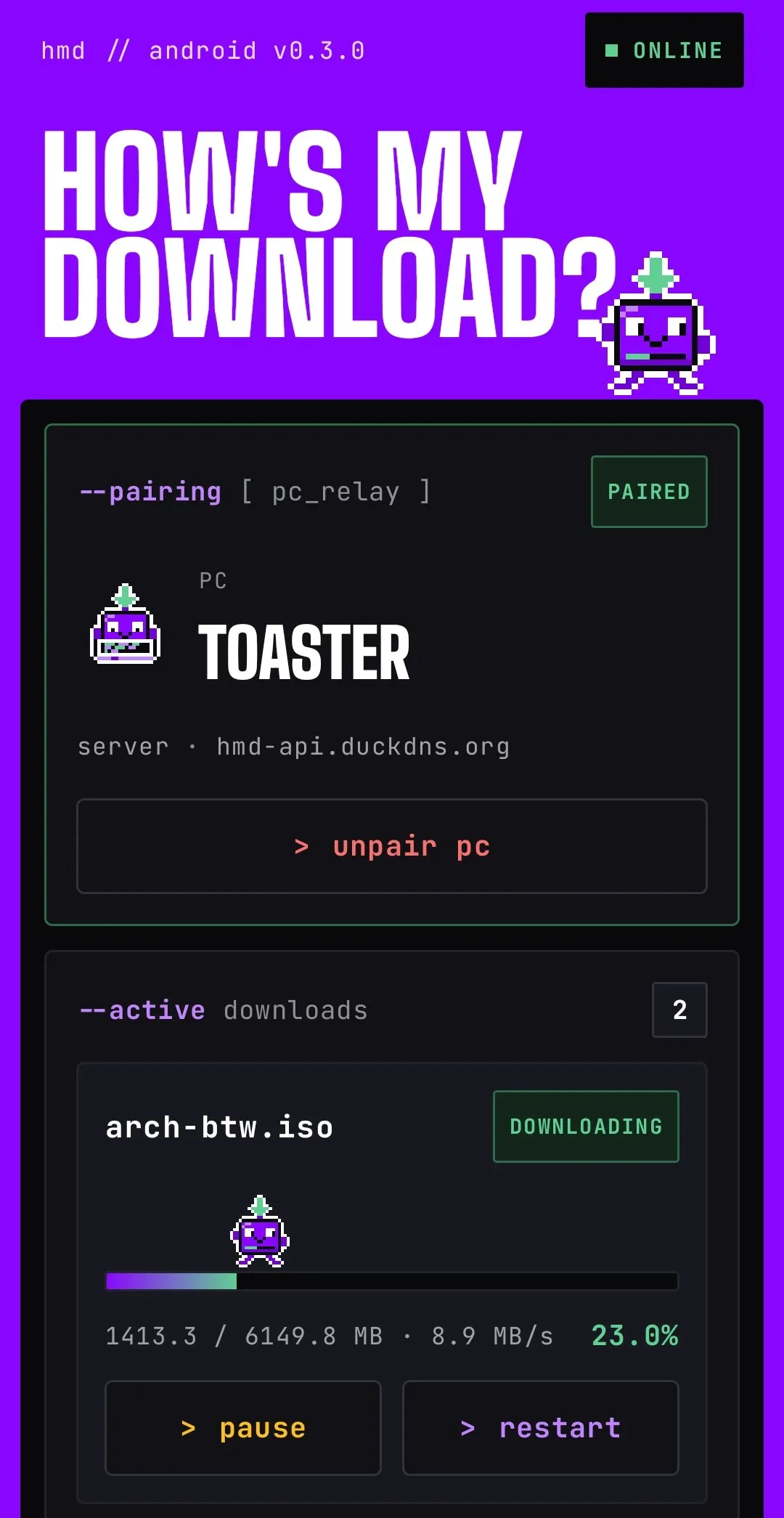
The How's My Download app, v0.3.0: ONLINE, paired with the PC toaster on hmd-api.duckdns.org, two active downloads with pause and restart buttons.
The app, paired.

desk

Add the extension.

  1. Download hows-my-download-extension-vX.Y.Z.zip and unzip it into a folder you'll keep. The browser loads the extension from that folder.
  2. Open chrome://extensions (Brave and Edge also take brave://extensions and edge://extensions), switch on Developer mode, click Load unpacked and pick the folder.
  3. Pin How's My Download from the puzzle-piece menu.
zip · 102 KB

hows-my-download-extension-v0.3.1.zip · v0.3.1
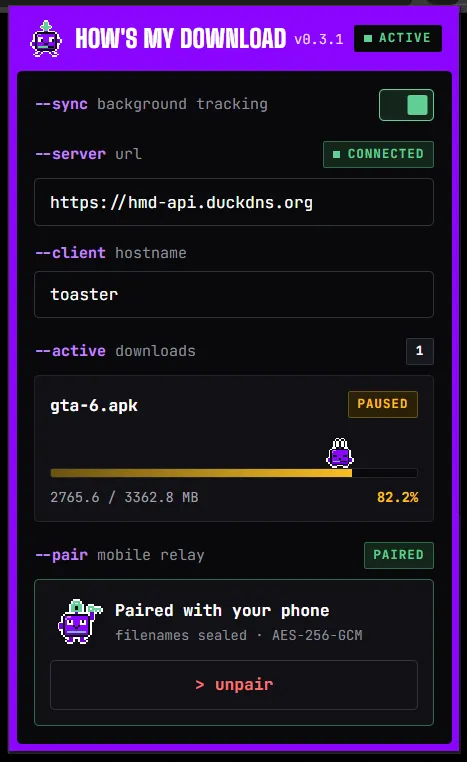
The How's My Download extension popup: ACTIVE, server CONNECTED, client toaster, one paused download, and PAIRED with your phone.
The extension popup.

desk + pocket

Pair, once.

  1. Click the extension icon, then pair device. A QR code appears. The server is already set to https://hmd-api.duckdns.org; change it only for a self-hosted server.
  2. In the app, tap > scan qr code and scan it. Both sides show PAIRED.

Then start any download. A notification shows up on your phone within a few seconds. Now go do something else.
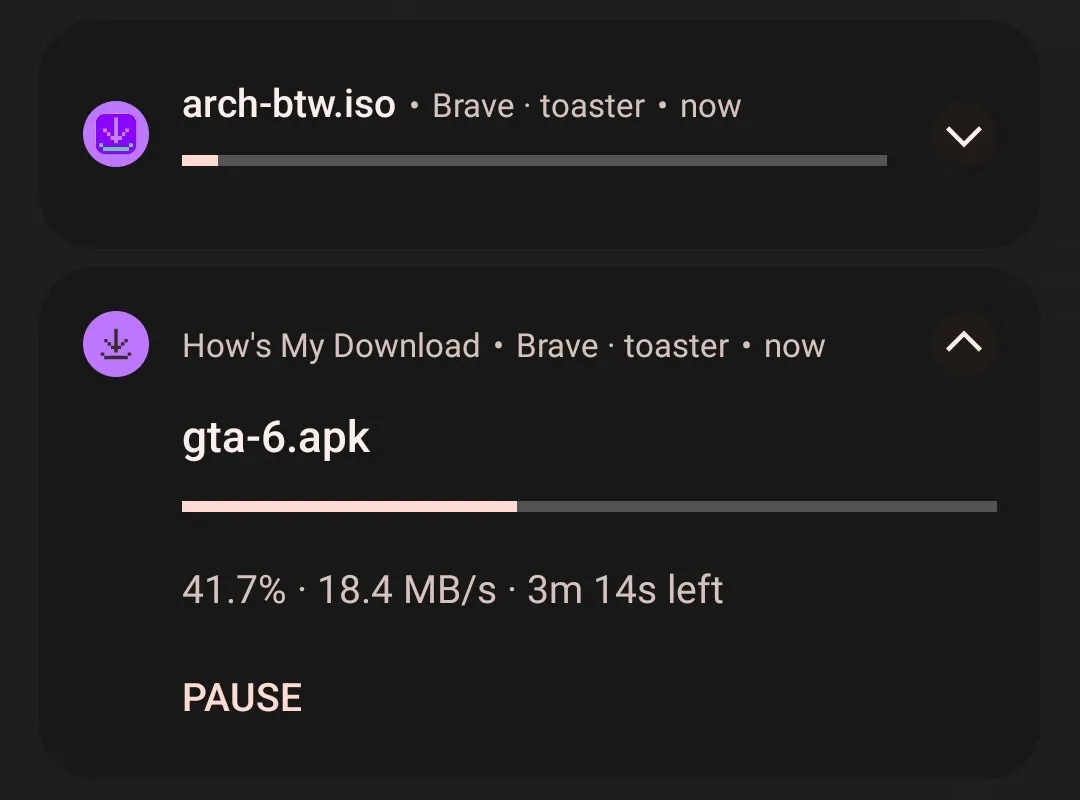
Two How's My Download notifications on Android, each with a progress bar; the expanded one shows gta-6.apk at 41.7%, 18.4 MB/s, 3m 14s left and a PAUSE button.
What you get.

When it doesn't.

No notification?

Allow notifications for the app: Android settings, Apps, How's My Download, Notifications.

Xiaomi, Oppo, Vivo and friends?

Allow Autostart for the app and set its battery use to No restrictions, so Android lets pushes wake it.

Updating?

Install the new APK over the old one: you stay paired. For the extension, replace the folder's contents and click reload on its card.

Still stuck? Open an issue and say what the extension popup's pills read.

Run your own relay.

  • Run the relay server yourself, from the prebuilt Docker image (amd64 and arm64) or from source.
  • You need your own Firebase project and your own build of the app. The repo's GitHub Actions workflow builds a signed APK from your Firebase config.
  • What you get: your PC name, timings, IP addresses and push token stay on your machine. Filenames are already private on any server.
  • Then put your server's address in the extension's server field before you pair.
# the relay, prebuilt
docker pull ghcr.io/w0nb0n/hows-my-download-server:latest

# config, Firebase and HTTPS:
# docs/self-hosting.md
Self-hosting guide